Which low-code UI framework? Part 5: Appsmith

Obviously a comparison of low-code UI frameworks can’t go without Appsmith. It’s a bit younger than Budibase but started getting traction earlier and is bigger.
Docker-compose setup is a breeze. I am a bit surprised that I have to enter user data (what do you want to use this for?) on a self-hosted setup, but not a big issue.
Evaluation
It’s immediately clear that Appsmith has a lot of substance and polish that some of the younger kids lack. It comes complete with features such as Git integration, displays incoming and outgoing dependencies for every object, and much more.
A big plus is the handing of custom JavaScript code. Where in other UIs you would make multiple tiny JS transformers or script blocks, Appsmith has “JS Objects” in which you can keep multiple variables and functions. This helps to reduce the clutter that would otherwise come from a multitude of tiny objects in your workspace, and group related JS functionality together.
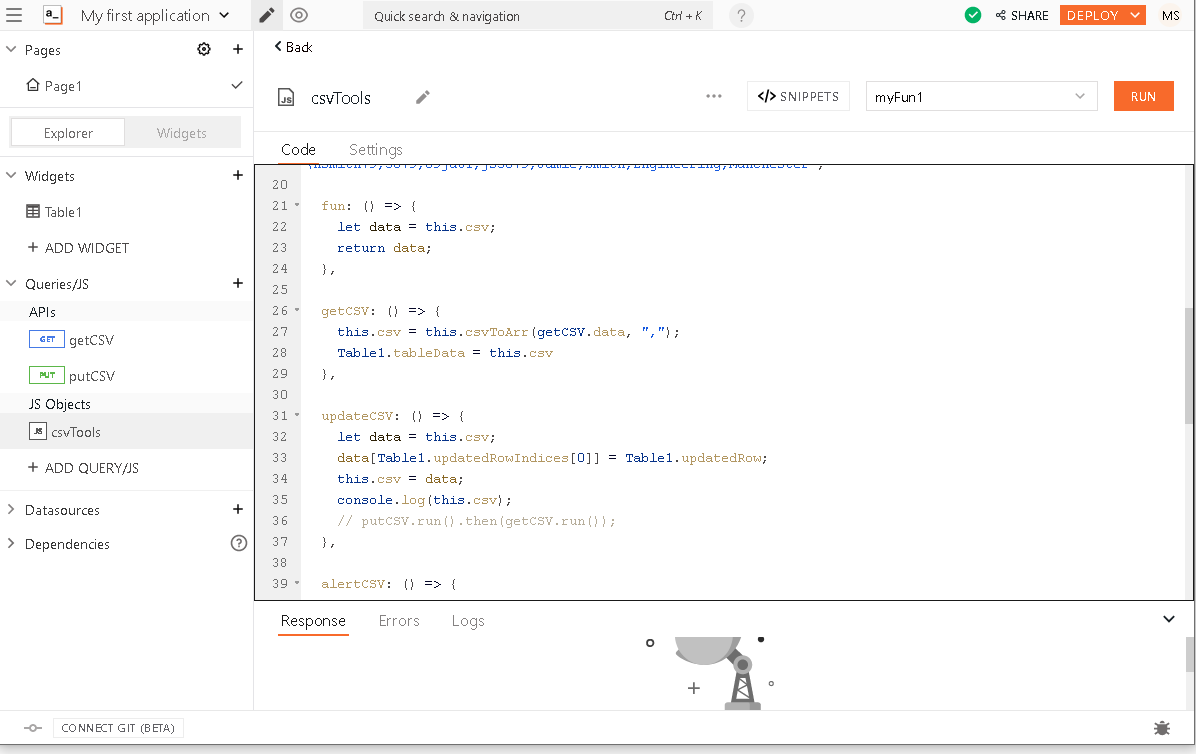
Under these conditions, I found it surprising that there is no way to add custom JS libraries. At least some external libraries are already provided with Appsmith. However, I learned on the Discord that this is coming soon.
CSV editor
A GET query to get the CSV data, followed by a JS snippet to parse the CSV were no problem.
I struggled a surprising amount to get the parsed CSV into the table. Initially, I wrote the data into a variable in my JS object (
csvTools.csv) and bound the table to{{csvTools.csv}}. This works only sometimes, since it apparently does not bind reactively - so the table never updated with the fresh CSV data. I got it to work binding it to a function output directly rather than to an object.
Appsmith has editable tables, which can be configured to row-wise or full-table editing. The edited row(s) are stored in the table, and the actual updating is done by an event bound to the edit. For full-table, it seems like every column needs to be configured separately with an
onSubmitevent, so for simplicity I stick to single-column editing. This triggers a JS function that outputs the CSV intocsvTools.data[‘csv’], then runs a PUT query bound to{{csvTools.data[‘csv’]}}.This seems to work well until I notice that the string is uploaded in escaped form, i.e. my upload is verbatim
“header1,header2, header3\ncol1,col2,col2”including the quotes and backslash n. This was caused by a “feature” called “Smart JSON substitution”, which “adds quotes to reduce developer errors”. After losing some time and deactivating it, I successfully update the CSV.This seems to work again, but only the first time. The problem is similar to the table issue above: “JS object” variables are not reactive states. Once I figure this out, and code the CSV update in functional style, everything works nicely. This leads me to wonder what the point of JS object variables is anyway - I must not be using them correctly.
A file uploader is done in a minute (FilePicker and a PUT query), taking care of “Smart JSON” again. Particularly useful is the chaining on query success, so putCSVUpload → onSuccess: getCSV refreshes the table after upload.
Then comes the pinnacle - what if the schema changes after upload?
The good news: the columns adapt! Hooray!
The bad news: they aren’t editable anymore - the default “editable” flag gets reset. So close!
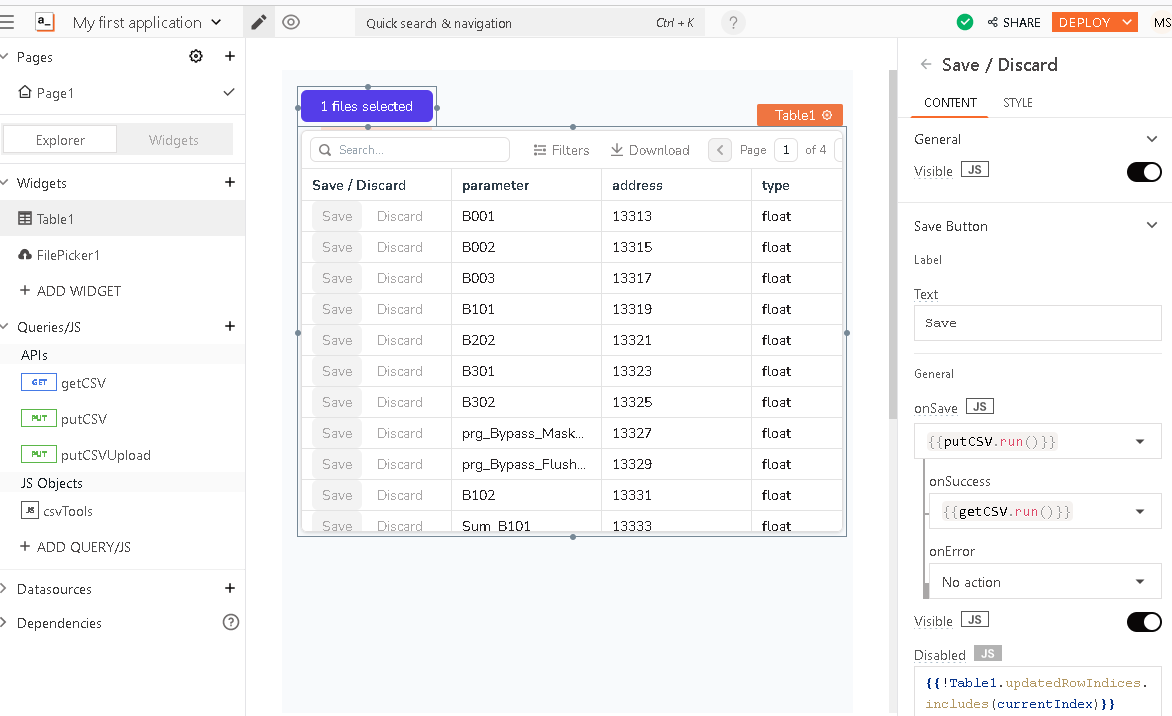
But all is not lost, we still have the original trick up our sleeve: a JSON form with automatic schema generation. So I ditch the built-in editability, make a column with an “edit” button that opens a modal with a JSON form, and PUT the updated CSV on submit. Extra trick, make the “edit” disabled except for the selected row.
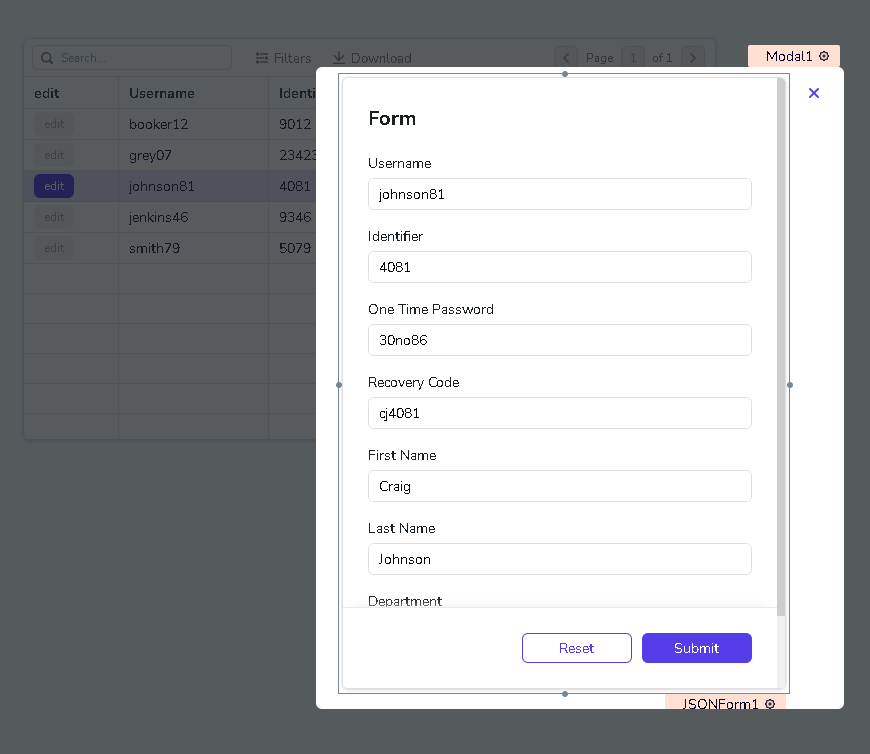
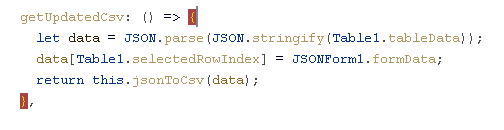
And thus we have it, the first functional CSV editor. Just for completeness I also implemented the raw text editor; the textarea is kludgy but it works.
Generic API query
After the CSV editor, I thought the generic API would be a breeze. The GET query is simple and binding server-side pagination is trivial. However, to my surprise, server-side filtering is not seamless. While there is a built-in client-side filter, this is not directly accessible from code and I would have to build the server-side filter myself. Now I’m not that motivated, sure it would work, but it seems unnecessarily burdensome. So this task is left unfinished.
Also, the page change doesn’t auto-refresh the query, even though the parameter is bound - I need to trigger the query myself. This just shows that I’m not all that familiar with the JavaScript way of doing reactive programming - it isn’t always clear to me when something is triggered and when it isn’t.
Summary
Appsmith is powerful. Compared to the competition (except for Budibase with a different focus), it feels considerably more complete. There are some things I don’t quite understand (like variables/states in JavaScript objects). Also, some features are missing, which I find weird for such a mature project. For example, seamless server-side filtering for tables; a decent Inspector-type thing where I can look at all my objects and variables; or including JS libraries from CDN (yet). Overall, this is the first one which managed to successfully complete my simple CSV editor.
Compared to Openblocks, a drawback is that it’s missing modularity; so there will be more repetition.
Another thing is that using Appsmith I have learned quite a bit about “general” ways of working with these tools. For completeness, I should go back and re-do the experiment with the other builders. However, this becomes an infinite loop; so I leave it at this.